Month: March 2026

behold your little ones manual

Behold Your Little Ones is a valuable resource designed to support nursery leaders in fostering spiritual growth in young children, aligning with the “Come, Follow Me” curriculum.

This manual provides age-appropriate lessons and activities, specifically crafted for little learners, and is readily available through various distribution channels as of today’s date.

It’s a wonderful tool for creating a nurturing environment where toddlers can begin to learn about and love Jesus Christ through engaging play and gospel principles.

What is the “Behold Your Little Ones” Manual?

Behold Your Little Ones is a specifically designed manual created to assist leaders and teachers working with children in the nursery setting of The Church of Jesus Christ of Latter-day Saints. It serves as a comprehensive guide for nurturing the faith of the youngest members, focusing on foundational gospel principles presented in an age-appropriate manner.

This resource isn’t simply a collection of lessons; it’s a thoughtfully curated framework built to support the “Come, Follow Me” curriculum, ensuring consistency in gospel teaching across all age groups. The manual provides detailed lesson plans, activity suggestions, and ideas for creating a loving and spiritually enriching environment.

As of March 31, 2026, it’s readily accessible through official Church distribution channels, as well as retail outlets like the LDS Bookstore and Deseret Book, making it convenient for leaders to obtain and implement. It’s a key component in establishing a strong spiritual foundation for little ones.

Target Age Group: Nursery (Ages 18 months ⎯ 3 years)

The Behold Your Little Ones manual is meticulously crafted for children within the 18-month to 3-year-old age range, a crucial period of rapid development and foundational learning. This stage is characterized by exploration, imitation, and the beginning of understanding simple concepts.

Lessons within the manual acknowledge the unique learning styles of this age group, prioritizing sensory experiences, repetition, and engaging activities. Recognizing that attention spans are short, the curriculum incorporates frequent changes and a variety of stimulating elements.

The focus isn’t on complex theological discussions, but rather on introducing children to the love of Jesus Christ through stories, songs, and simple acts of service. Activities, like those found in the “Gospel Grab Bag,” are designed to be hands-on and memorable, catering to the developmental needs of toddlers and preschoolers. It’s a time for planting seeds of faith.

Purpose and Goals of the Manual

The primary purpose of the “Behold Your Little Ones” manual is to support nursery leaders in nurturing the spiritual development of young children, fostering a love for Jesus Christ from an early age. It aims to create a safe and loving environment where little ones can feel the Savior’s love.

Key goals include introducing foundational gospel principles in an age-appropriate manner, encouraging participation in simple activities that reinforce learning, and preparing children for future spiritual growth. The manual strongly emphasizes alignment with the “Come, Follow Me” curriculum, ensuring consistency in gospel teaching.

Furthermore, it seeks to empower parents to continue gospel learning at home through suggested take-home resources. By providing engaging lessons and practical ideas, the manual strives to make the nursery experience a positive and meaningful introduction to the gospel of Jesus Christ.

Core Principles & Curriculum Overview

Core principles center on Christ, utilizing play-based learning, and seamlessly integrating with the “Come, Follow Me” program for consistent gospel instruction.

Focus on Jesus Christ

Central to the “Behold Your Little Ones” manual is a deliberate and consistent focus on Jesus Christ. Every lesson, activity, and interaction is designed to introduce young children to the Savior and foster a foundational love for Him.

This isn’t simply about telling children about Jesus, but about helping them feel His love through stories, songs, and simple testimonies. The curriculum emphasizes narratives from the New Testament, particularly those that demonstrate Jesus’s kindness, compassion, and love for children – like when He blessed the little ones (Matthew 19:13-15).

Lessons are structured to help children understand that Jesus is their friend, that He knows them, and that He wants them to be happy. Visual aids and coloring pages often depict scenes from the Savior’s life, reinforcing these concepts in a tangible way. The goal is to plant seeds of faith that will blossom as they grow, establishing a lifelong relationship with Jesus Christ.

This unwavering focus ensures that even the youngest learners begin to build a strong spiritual foundation centered on the Savior.

Learning Through Play & Activities

The “Behold Your Little Ones” manual recognizes that young children learn best through play and hands-on activities. The curriculum is intentionally designed to be interactive and engaging, moving beyond simple instruction to incorporate a variety of playful learning experiences.

Activities are short, simple, and age-appropriate, catering to the limited attention spans of toddlers and preschoolers. These include singing songs, playing games, using puppets, and engaging in sensory play. A key component is the “Gospel Grab Bag,” offering coloring pages and model activities for children to take home and reinforce learning.

These activities aren’t merely “busy work”; they are carefully crafted to illustrate gospel principles in a way that young children can understand. For example, building with blocks might represent building a strong foundation of faith, while singing a song about Jesus reinforces His importance.

The manual encourages leaders to adapt activities to meet the diverse needs of the children in their care, fostering a joyful and effective learning environment.

Integration with “Come, Follow Me”

“Behold Your Little Ones” manual is specifically designed to seamlessly integrate with the Church’s “Come, Follow Me” curriculum, ensuring a unified gospel learning experience for families. Each lesson within the manual directly correlates with the weekly scripture focus for the entire Church.

While nursery-aged children cannot participate in in-depth scripture study, the manual provides age-appropriate ways to introduce the core message of each “Come, Follow Me” lesson. This is achieved through simplified stories, songs, and activities that focus on key principles and teachings.

The goal isn’t to teach complex doctrine, but rather to plant seeds of faith and introduce children to the love of Jesus Christ, as presented in the weekly scriptures. This early exposure lays a foundation for future gospel learning.

By aligning with “Come, Follow Me,” the manual strengthens the connection between home and church gospel learning, supporting families in their spiritual journey.

Lesson Structure & Components

Lessons within this manual follow a consistent format, incorporating visual aids, coloring pages, and engaging “Gospel Grab Bag” activities for a dynamic learning experience.

These components are designed to cater to the developmental needs of young children, fostering a love for learning and the gospel.

Weekly Lesson Format

Each weekly lesson in the “Behold Your Little Ones” manual is thoughtfully structured to maximize engagement and learning for nursery-aged children. The format typically begins with a simple introduction to the scripture story or gospel principle, utilizing age-appropriate language and relatable examples.

Following the introduction, a key activity is presented, often involving singing, movement, or a hands-on craft. These activities are designed to reinforce the lesson’s message in a fun and memorable way. A crucial element is the inclusion of a “Gospel Grab Bag” activity, offering a variety of options to choose from, allowing flexibility based on the children’s needs and interests.

The lesson concludes with a brief review, solidifying the key takeaway. Leaders are encouraged to adapt the format to suit their specific nursery setting and the individual needs of the children, ensuring a positive and spiritually enriching experience for all.

Remember to keep lessons short and focused, recognizing the limited attention spans of this age group.

Use of Visual Aids & Coloring Pages

Visual aids are integral to the “Behold Your Little Ones” manual, serving as powerful tools to capture and maintain the attention of young children. Bright, colorful pictures depicting scripture stories and gospel concepts are highly recommended, aiding comprehension and making the lessons more engaging.

Coloring pages are a particularly valuable resource, offering a hands-on activity that reinforces the lesson’s theme. Children can express their creativity while simultaneously internalizing the gospel message. Consider providing pre-printed coloring pages related to the weekly lesson, or allowing children to draw their own interpretations.

The manual suggests creating a “little book” with sheet protectors to display colored activities, allowing children to showcase their work and revisit the lessons. These visual elements transform abstract concepts into tangible experiences, fostering a deeper understanding and love for the gospel.

Remember to use visuals that are clear, simple, and age-appropriate.

Gospel Grab Bag Activities

Gospel Grab Bag activities are a cornerstone of the “Behold Your Little Ones” manual, providing interactive and memorable learning experiences for nursery-aged children. These short, focused activities reinforce the weekly lesson theme in a playful and engaging manner.

The manual suggests preparing printed Gospel Grab Bag activities, ideally in color, to serve as models for the children. This allows them to visually understand the activity before participating. Furthermore, providing each child with their own copy to color and take home extends the learning beyond the nursery setting.

Creating a “little book” with sheet protectors to house the activity and the child’s completed artwork is a fantastic way to preserve their work and encourage continued engagement. These activities should be simple, age-appropriate, and focused on reinforcing key gospel principles.

They are designed to be quick and adaptable, fitting seamlessly into the nursery schedule.

Practical Application & Implementation

Implementing the “Behold Your Little Ones” manual requires a nurturing environment, adaptable lessons, and consistent parent involvement to reinforce gospel principles at home.

Creating a Nurturing Nursery Environment

Establishing a warm and inviting nursery space is paramount when utilizing the “Behold Your Little Ones” manual. Consider soft lighting, comfortable seating arrangements, and age-appropriate décor that reflects gospel themes. A designated play area encourages learning through exploration and interaction, aligning with the manual’s focus on play-based activities.

Ensure the environment is safe and clean, with readily accessible materials for lessons and activities. Visual aids, like those suggested in the manual, should be prominently displayed to capture the attention of little ones. Creating a calm and peaceful atmosphere helps children feel secure and receptive to spiritual teachings.

Remember to minimize distractions and provide a space where children can freely express themselves. A nurturing environment fosters a love for learning and a positive association with the gospel, making the lessons from “Behold Your Little Ones” even more impactful.

Adapting Lessons for Different Needs

The “Behold Your Little Ones” manual provides a flexible framework, recognizing that each child learns uniquely. Adapting lessons is crucial for inclusivity, catering to varying developmental stages and individual needs within the nursery setting. Simplify activities for younger or less-developed children, focusing on core concepts with shorter attention spans.

For children who grasp concepts quickly, offer extension activities or encourage them to help their peers. Utilize the “Gospel Grab Bag” ideas creatively, modifying them to suit different learning styles – visual, auditory, or kinesthetic. Remember to be patient and understanding, providing individualized support as needed.

Consider children with special needs, adjusting materials and activities to ensure full participation. The goal is to create a welcoming environment where every child feels valued and can experience the joy of learning about Jesus Christ.

Parent Involvement & Take-Home Resources

Strengthening the home-church connection is vital. The “Behold Your Little Ones” manual encourages nursery leaders to actively involve parents in their child’s spiritual development. Share lesson themes and activities with parents, suggesting ways to reinforce learning at home.

Utilize the coloring pages and “Gospel Grab Bag” activities as take-home resources. Children can proudly display their artwork or practice the activity with their families, fostering meaningful conversations about gospel principles. Consider creating a simple newsletter highlighting weekly lessons and offering parenting tips.

Encourage parents to participate in nursery activities when possible, building a sense of community and shared responsibility. These resources empower families to continue the spiritual journey begun in the nursery setting.

Resources & Availability (as of 03/31/2026)

As of today, the “Behold Your Little Ones” Nursery Manual is available at LDS Bookstores, Deseret Book, and through official Church distribution channels for purchase.

LDS Bookstore Availability

LDS Bookstores nationwide are fully stocked with the “Behold Your Little Ones” Nursery Manual as of March 31st, 2026. This ensures convenient access for local leaders and parents seeking to enhance the nursery experience.

Inventory levels are regularly updated to meet the ongoing demand, particularly during “Come, Follow Me” curriculum cycles. Store associates are well-versed in the manual’s contents and can offer guidance on its effective implementation.

Customers can also check online availability through the LDS Bookstore website, allowing for in-store pickup or direct shipping. The manual is competitively priced, making it an affordable resource for all nursery programs. Dedicated staff are available to assist with any questions regarding the manual or related nursery materials, ensuring a positive shopping experience.

Don’t hesitate to contact your local LDS Bookstore for the most up-to-date information on stock and potential in-store events related to the manual!

Deseret Book Availability

Deseret Book proudly offers the “Behold Your Little Ones” Nursery Manual both in-store and online as of March 31st, 2026, providing broad accessibility for those seeking to enrich their nursery programs. They aim to build faith and strengthen families.

Customers can easily browse and purchase the manual through Deseret Book’s website, benefiting from fast shipping options and a user-friendly online shopping experience. Store locations across the region maintain consistent stock levels, ensuring availability for immediate purchase.

Deseret Book frequently features this manual as part of curated collections focused on early childhood gospel learning. Knowledgeable staff are available to answer questions and provide recommendations for complementary resources. The manual is priced affordably, aligning with Deseret Book’s commitment to providing value to its customers.

Check DeseretBook.com for current promotions and to locate a store near you!

Church Distribution Channels

The Church Distribution Channels represent a primary source for obtaining the “Behold Your Little Ones” Nursery Manual, ensuring accessibility for ward and stake leaders as of March 31st, 2026. Ordering is facilitated through the Church’s official online ordering system, streamlining the procurement process.

Local Church distribution centers maintain inventory to fulfill orders promptly, often offering convenient pick-up options for those nearby. This direct distribution method ensures authenticity and adherence to Church standards. Leaders can order multiple copies to equip their nursery teams effectively.

The Church’s distribution network prioritizes supporting the “Come, Follow Me” initiative, making this manual a key component of nursery curriculum implementation. Ordering guidelines and available resources are readily accessible through Church websites and leadership handbooks.

Contact your local Church distribution center or visit ChurchofJesusChrist.org for detailed ordering information and availability.

holmes air purifier instructions

Holmes Air Purifier Instructions: A Comprehensive Guide

Welcome! This guide provides detailed instructions for operating your Holmes air purifier‚ ensuring optimal performance and air quality within your home environment.

Please ensure browser compatibility for a secure and enhanced user experience‚ as noted on their official website as of 03/26/2026.

Understanding Your Holmes Air Purifier

Your Holmes air purifier is designed to improve indoor air quality by removing dust‚ pollen‚ smoke‚ and other airborne particles. It functions by drawing air in‚ passing it through a multi-stage filtration system‚ and then releasing cleaner air back into the room. Understanding the core principles of its operation is key to maximizing its benefits.

Familiarizing yourself with the purifier’s components and control panel will empower you to effectively manage its settings and monitor its operation; Remember to consult the official resources for model-specific details and safety guidelines‚ especially considering browser support updates as of 03/26/2026.

Model Identification & Key Features

Key features commonly found across Holmes air purifier models include adjustable fan speeds‚ a night light function‚ and filter replacement indicators. Many models incorporate a multi-stage filtration system‚ often featuring a pre-filter‚ activated carbon filter‚ and a HEPA filter. Some advanced models may include smart features or air quality sensors.

Understanding these features allows for optimized operation and tailored air purification. Remember to check for browser compatibility updates‚ as noted on the Holmes website as of 03/26/2026‚ to ensure seamless access to online resources and manuals specific to your model.

Unboxing and Initial Setup

Carefully unpack your new Holmes air purifier‚ ensuring all packaging materials are removed. Retain the original packaging for potential future transport or warranty claims. Before initial setup‚ inspect the unit for any visible damage that may have occurred during shipping. If damage is present‚ contact Holmes customer support immediately.

Place the air purifier on a stable‚ level surface‚ allowing for adequate ventilation around all sides – at least 12 inches clearance is recommended. Avoid placing it near sources of heat‚ moisture‚ or direct sunlight. Ensure the power cord is easily accessible and not a tripping hazard.

Component Checklist

Upon unboxing your Holmes air purifier‚ verify that all components are present. You should find the main air purifier unit itself‚ including the front and rear housings. Confirm the inclusion of at least one filter – typically a combination of a pre-filter‚ carbon filter‚ and HEPA filter – though the exact configuration varies by model.

As of 03/26/2026‚ ensure your browser is supported for optimal viewing of online manuals. If any components are missing or damaged‚ immediately contact Holmes customer support for assistance and replacement options. Do not attempt to operate the unit with missing parts.

Powering On and Basic Operation

To begin‚ connect the power cord securely to both the air purifier and a grounded electrical outlet. Ensure the outlet voltage matches the purifier’s specifications. Once connected‚ locate the power button – typically indicated by a universal power symbol – on the control panel.

Press the power button to activate the unit. The air purifier should initiate its fan‚ drawing air in and beginning the filtration process. Initially‚ select a low or medium fan speed for quiet operation and energy efficiency. You can adjust the fan speed using the designated controls (detailed in the Control Panel Overview section).

Control Panel Overview

The Holmes air purifier’s control panel serves as the central hub for managing its functions. Typically‚ it features a power button for activation‚ alongside fan speed controls – often represented by incremental bars or labeled settings like “Low‚” “Medium‚” and “High.” A mode selector may offer options like “Auto‚” “Sleep‚” or “Turbo” for customized performance.

Indicator lights provide crucial feedback on filter status‚ air quality‚ and operational mode. A filter reset indicator illuminates when filter replacement is needed. Some models include a night light control‚ allowing you to dim or disable the panel’s illumination.

Understanding the Buttons & Indicators

The power button initiates or terminates the air purifier’s operation. Fan speed buttons adjust airflow intensity; higher settings increase purification rate but also noise levels. A ‘Mode’ button cycles through preset functions like ‘Auto’ (adjusts speed based on air quality) and ‘Sleep’ (quiet operation with dimmed lights).

Indicator lights are vital for monitoring. A ‘Filter Reset’ light signals when filter replacement is due. An ‘Air Quality’ indicator displays current air conditions‚ often using color-coded levels (e.g.‚ blue for good‚ red for poor). A ‘Power’ indicator confirms the unit is active.

Adjusting Fan Speed Settings

Holmes air purifiers typically offer multiple fan speed settings‚ ranging from low to high‚ and sometimes including an automatic mode. Lower speeds are ideal for quiet operation‚ such as during sleep‚ while higher speeds provide maximum air purification. The ‘Auto’ mode intelligently adjusts fan speed based on detected air quality‚ optimizing both performance and energy consumption.

To adjust the fan speed‚ use the designated ‘Fan Speed’ button on the control panel. Each press usually cycles through the available settings. Observe the indicator lights to confirm the selected speed. Higher speeds will generate more noise but circulate air more rapidly‚ effectively removing pollutants.

Night Light Functionality

Many Holmes air purifiers include a convenient night light feature‚ providing a soft glow for enhanced visibility in darkened rooms. This is particularly useful in bedrooms or nurseries‚ offering a subtle illumination without being disruptive to sleep. The night light is typically activated via a dedicated button on the control panel.

Pressing the ‘Night Light’ button will usually toggle the feature on or off. Some models may offer adjustable brightness levels‚ allowing you to customize the intensity of the light. This feature operates independently of the air purification settings‚ meaning you can enjoy clean air and gentle illumination simultaneously.

Filter System Explained

Holmes air purifiers utilize multi-stage filtration systems designed to capture a wide range of airborne particles and odors. Understanding these stages is crucial for maintaining optimal performance and air quality. Typically‚ a Holmes purifier employs a pre-filter‚ a carbon filter‚ and a HEPA filter‚ working in sequence to progressively clean the air.

The pre-filter captures larger particles like dust‚ pet dander‚ and pollen‚ extending the life of subsequent filters. The carbon filter then tackles odors‚ gases‚ and volatile organic compounds (VOCs). Finally‚ the HEPA filter‚ the core of the system‚ removes at least 99.97% of microscopic particles‚ including allergens‚ bacteria‚ and viruses.

Filter Types & Compatibility

Holmes air purifiers accommodate various filter types‚ each designed for specific air purification needs. Common filters include the washable pre-filter‚ capturing larger airborne particles like dust and pet hair‚ extending the lifespan of other filters. Activated carbon filters effectively reduce odors from pets‚ cooking‚ and smoke‚ alongside harmful VOCs.

True HEPA filters are critical for removing 99.97% of particles as small as 0.3 microns‚ including pollen‚ mold spores‚ and dust mites. Filter compatibility is model-specific; using incorrect filters can compromise performance and potentially damage the unit.

Replacing the Filters

Regular filter replacement is crucial for maintaining optimal air purifier performance. The frequency depends on usage and air quality‚ but generally‚ the pre-filter should be checked monthly and cleaned or replaced as needed. Carbon filters typically require replacement every three to six months‚ while HEPA filters last approximately six to twelve months.

Using non-genuine filters may void your warranty and reduce purification effectiveness. Remember to dispose of used filters responsibly. A supported browser is recommended for accessing the latest guidance.

Pre-Filter Replacement

The pre-filter is your air purifier’s first line of defense‚ capturing large particles like dust‚ pet dander‚ and pollen. Regularly inspecting and maintaining this filter extends the life of your other filters. Check the pre-filter monthly; if visibly dirty‚ it’s time for action.

Some pre-filters are washable; refer to your manual. If washable‚ allow it to dry completely before reinstalling. A clean pre-filter maximizes airflow and purification efficiency. Remember to use a supported browser for optimal manual viewing.

Carbon Filter Replacement

The carbon filter tackles odors‚ gases‚ and volatile organic compounds (VOCs) – crucial for a fresh indoor environment. Replacement frequency depends on usage and air quality‚ but generally‚ every 3-6 months is recommended. A saturated carbon filter loses its effectiveness.

Insert the new carbon filter‚ ensuring a snug fit. Some models have specific filter orientation; check the markings. A properly installed carbon filter significantly improves air quality. For best results‚ replace alongside the pre-filter and HEPA filter. Ensure browser compatibility for easy access to the latest instructions.

HEPA Filter Replacement

The HEPA (High-Efficiency Particulate Air) filter is vital for capturing dust‚ pollen‚ pet dander‚ and other airborne particles. Replacement is typically recommended every 6-12 months‚ depending on usage and air quality conditions. A clogged HEPA filter reduces airflow and purification efficiency.

Insert the new HEPA filter‚ ensuring it’s correctly positioned. A proper seal is crucial for optimal performance. Replace the filter cover securely. For comprehensive air purification‚ replace the HEPA filter concurrently with the pre-filter and carbon filter. Remember to check for browser compatibility on the Holmes website for updated manuals.

Maintenance & Cleaning

Regular maintenance ensures your Holmes air purifier operates efficiently and maintains optimal air quality. Consistent cleaning extends the lifespan of your unit and preserves its purification capabilities. Always disconnect the purifier from the power source before any cleaning procedures.

Filter replacement is a key maintenance task‚ detailed in subsequent sections. Ensure proper browser compatibility when accessing online manuals for the most accurate and up-to-date instructions. Consistent upkeep guarantees peak performance.

Exterior Cleaning Procedures

Maintaining a clean exterior is crucial for the aesthetic appeal and overall hygiene of your Holmes air purifier. Before commencing any cleaning‚ always disconnect the unit from the power outlet to prevent electrical shock. Use a soft‚ slightly damp cloth to gently wipe down the purifier’s housing. Avoid excessive moisture‚ which could damage internal components.

Never use abrasive cleaners‚ solvents‚ or harsh chemicals‚ as these can discolor or degrade the plastic surfaces. For stubborn dirt or grime‚ a mild soap solution can be used‚ but ensure it’s thoroughly rinsed off with a clean‚ damp cloth and then dried completely. Pay attention to ventilation openings‚ ensuring they are free from dust and debris.

Sensor Cleaning (If Applicable)

Certain Holmes air purifier models feature sensors that detect air quality‚ automatically adjusting fan speed. These sensors require periodic cleaning to maintain accuracy. Always disconnect the unit from power before cleaning any internal components‚ including sensors.

Carefully reassemble the sensor area. A clean sensor ensures your air purifier operates efficiently and responds accurately to changes in air quality‚ providing optimal performance. Regular sensor maintenance‚ as per the manual‚ is key to long-term functionality.

Troubleshooting Common Issues

Encountering problems with your Holmes air purifier? This section addresses frequent concerns. If the unit fails to power on‚ verify the power cord is securely connected and the outlet is functioning. For reduced airflow‚ check and replace the filters – a clogged filter significantly restricts air circulation.

If issues persist‚ avoid attempting complex repairs yourself. Contact Holmes Customer Support (details in the ‘Finding Additional Resources’ section) for professional assistance. Remember to have your model number ready for efficient support. Prioritize safety and consult the manual before any intervention.

Air Purifier Not Turning On

If your Holmes air purifier isn’t powering on‚ begin with the simplest checks. Ensure the power cord is firmly plugged into both the unit and a working electrical outlet. Test the outlet with another device to confirm it’s receiving power. Inspect the power cord for any visible damage – fraying or cuts could indicate a safety hazard.

If these steps don’t resolve the issue‚ avoid disassembling the unit. Contact Holmes Customer Support for assistance‚ providing your model number for targeted troubleshooting. Do not attempt repairs yourself‚ as this could void the warranty and pose a safety risk.

Reduced Airflow Problems

Experiencing reduced airflow from your Holmes air purifier often indicates a filter issue. The most common cause is a clogged filter – particularly the pre-filter‚ which captures larger particles. Check and replace the pre-filter regularly‚ as outlined in the ‘Replacing the Filters’ section of this guide.

Additionally‚ confirm the air intake and outlet vents aren’t blocked by furniture or curtains. If the problem persists after filter replacement and obstruction removal‚ consult the Holmes support resources for further assistance and potential troubleshooting steps.

Unusual Noises During Operation

If your Holmes air purifier is making unusual noises‚ several factors could be the cause. First‚ ensure the unit is placed on a level surface to prevent vibrations. Check for any loose objects inside or around the purifier that might be rattling. A buzzing sound could indicate a fan blade obstruction – carefully inspect the fan for debris.

Whining or clicking noises might stem from the motor. If the noise is new or worsening‚ it could signal a mechanical issue requiring professional attention. Refer to the warranty information for service options.

Safety Precautions

Important: Always unplug your Holmes air purifier before cleaning or replacing filters to avoid electrical shock. Do not operate the unit with a damaged cord or plug. Avoid using extension cords‚ and if one is absolutely necessary‚ ensure it’s appropriately rated for the purifier’s power consumption.

Keep the air purifier away from water and damp environments. Never insert objects into the air vents‚ as this could cause damage or injury. Ensure the unit is stable and won’t tip over‚ especially in households with children or pets.

Important Safety Guidelines

Caution: This Holmes air purifier is intended for indoor use only. Operating it outdoors may expose it to elements causing damage or safety hazards. Ensure adequate ventilation around the unit; do not block air intake or outflow vents. Keep flammable materials away from the purifier during operation.

Regularly inspect the power cord for any signs of damage. If damaged‚ discontinue use immediately. Never operate the purifier if it has been dropped or subjected to impact. Children should be supervised to ensure they do not play with the appliance.

Warranty Information & Registration

Your Holmes air purifier is backed by a manufacturer’s warranty against defects in materials and workmanship. The warranty period varies depending on the specific model purchased; please retain your proof of purchase for verification.

The warranty does not cover damage resulting from misuse‚ accidents‚ or unauthorized repairs. For warranty claims‚ contact Holmes Customer Support (details found in the ‘Finding Additional Resources’ section). Proper registration ensures a smooth warranty process should the need arise.

Finding Additional Resources

Holmes Customer Support Contact Information: While direct contact details may vary‚ the website provides a contact form and often lists phone numbers for customer assistance. Expect potential wait times during peak hours.

Online Manuals & FAQs: Explore the extensive FAQ section on the Holmes website to quickly find answers to common issues. Regularly check for updated manuals and troubleshooting guides to ensure optimal performance of your air purifier. Remember to have your model number readily available when seeking support.

Holmes Customer Support Contact Information

Typically‚ a comprehensive “Contact Us” section offers a web-based contact form for submitting inquiries. Be prepared to provide your model number‚ purchase date‚ and a detailed description of your issue for efficient assistance. Response times may vary depending on inquiry volume.

While a dedicated support hotline exists‚ online resources like FAQs and downloadable manuals often provide quicker solutions. Check the website’s support pages before contacting customer service directly. Keep your proof of purchase handy‚ as it may be required for warranty claims or specific support requests.

Online Manuals & FAQs

You can locate manuals by entering your specific model number into the search bar. The FAQs are categorized to help you quickly find answers to typical questions regarding setup‚ operation‚ maintenance‚ and troubleshooting.

These online resources are regularly updated to reflect the latest product information and address emerging customer concerns. Before contacting customer support‚ exploring the manuals and FAQs can often resolve your issue efficiently. The website also notes browser compatibility is important for optimal access.

manual to manhood book

The notion of a “manual to manhood” arises from a perceived need for guidance, mirroring historical guides and prompting searches for practical advice.

High school experiences with manuals of arms suggest a desire for structured learning, while online databases offer diverse user guides and resources.

Literature, like novels, explores societal impacts on masculinity, revealing attempts to conform and challenging traditional stereotypes, fueling the manual’s appeal.

Historical Context of Manhood Guides

Throughout history, formalized instruction on becoming a “man” has existed, though not always explicitly labeled as such. The reference to high school students learning the “manual of arms” from a physics teacher hints at a tradition of imparting practical skills deemed essential for masculine roles – discipline, precision, and preparedness for defense.

However, the current framing as a “manual” is a more modern construct, reflecting a perceived crisis in masculine identity and a desire for clear, actionable steps. Earlier forms of guidance were often embedded within religious texts, philosophical treatises (like those exploring “God-Manhood”), or societal expectations communicated through apprenticeship and familial instruction.

The proliferation of online resources and searchable databases, like manualsdb.ru, demonstrates a contemporary need for readily accessible information, mirroring a desire for a modern equivalent of these historical guides, adapted for a rapidly changing world.

The Appeal of a “Manual” for Masculinity

The very term “manual” suggests a solution to a problem – a perceived lack of clear direction in navigating modern masculinity. This appeal stems from anxieties surrounding shifting societal expectations and the erosion of traditional masculine roles. The desire for a structured guide reflects a longing for certainty in a complex world.

Literature’s exploration of how society impacts views of masculinity, and the protagonists’ struggles to conform, highlights the pressure men face. A “manual” promises a roadmap, offering practical skills and ethical frameworks.

The search for such guides, evidenced by online databases, indicates a proactive attempt to define manhood rather than passively accepting societal norms, seeking empowerment through knowledge and self-improvement.

Core Principles Explored in Manhood Literature

Manhood literature dissects societal expectations, masculine stereotypes, and the ethical considerations central to defining a man’s role and moral compass.

Societal Expectations and Masculine Stereotypes

The quest for a “manual to manhood” often stems from navigating rigid societal expectations and deeply ingrained masculine stereotypes. Literature examining this concept, as noted in book reviews, frequently portrays protagonists grappling with conforming to these pre-defined roles.

These expectations can be limiting and contradictory, creating internal conflict as individuals attempt to reconcile personal identity with external pressures. The historical context reveals how these ideals have shifted, yet persist in influencing self-perception.

The very existence of a “manual” implies a desire to decode and potentially challenge these norms, seeking a framework for authentic self-expression beyond prescribed behaviors. This exploration is crucial for understanding the complexities of modern masculinity.

Conforming vs. Defining Manhood

The tension between conforming to societal expectations and defining manhood on one’s own terms is central to the “manual to manhood” discourse. Literary analysis reveals characters struggling with this dichotomy, attempting to navigate prescribed roles versus authentic self-expression.

A “manual” suggests a desire for a roadmap, but the question arises: whose map? Should it dictate conformity, or empower individuals to forge their own path? This reflects a broader philosophical debate about agency and societal influence.

Ultimately, the value of such a guide lies not in prescribing a singular definition, but in providing tools for self-reflection and critical engagement with prevailing masculine ideals, fostering genuine self-discovery.

The Role of Ethics and Morality

The exploration of ethics and morality is crucial within the “manual to manhood” concept, extending beyond practical skills to encompass character development. Philosophical texts, like those by Solovyov and Dante, grapple with the concept of “God-Manhood,” suggesting an inherent moral dimension to masculine identity.

A true “manual” shouldn’t merely focus on outward behaviors, but also on cultivating inner virtues – respect, integrity, and responsibility. This aligns with historical etiquette guides emphasizing cheerful demeanor and considerate interaction.

Ethical considerations also arise when examining societal abstractions from nature, prompting reflection on the responsible exercise of power and the avoidance of harmful stereotypes.

Practical Skills and Development Areas

A comprehensive “manual” encompasses manual skills for workplace application, alongside personality development, communication, and potentially, language learning for broader self-improvement.

Developing Manual Skills & Workplace Application

The concept of a “manual to manhood” extends beyond theoretical ideals to encompass tangible, practical skills crucial for navigating the modern workplace. This includes proficiency in tasks traditionally associated with manual labor, but also adapting to technological advancements that lighten the burden of such work.

Effectively utilizing technology becomes a key “manual skill” in itself, allowing for increased efficiency and productivity. Furthermore, the development of these skills isn’t merely about task completion; it’s about fostering a work ethic, problem-solving abilities, and a sense of competence – all cornerstones of traditional masculine ideals, now redefined for a contemporary context.

The application of these skills translates directly into professional success, demonstrating reliability, adaptability, and a willingness to contribute meaningfully to any team or organization.

Personality Development and Psychopathology

A comprehensive “manual to manhood” necessitates exploring the complexities of personality development and acknowledging the potential for psychopathology. Norman Cameron’s work highlights this, specifically noting the prevalence of fetishism among men, often centering around seemingly innocuous objects like women’s shoes.

This isn’t about pathologizing masculinity, but rather recognizing the diverse range of human experiences and the potential for atypical fixations. Understanding these tendencies requires a nuanced approach, avoiding judgment and fostering self-awareness.

The manual should address healthy emotional regulation, self-esteem, and the ability to form fulfilling relationships, while also acknowledging the potential for psychological vulnerabilities and encouraging seeking help when needed.

Language Learning & Communication Skills

Effective communication is paramount to embodying a well-rounded manhood, and a “manual” should prioritize language learning and skillful expression. The referenced learning materials – dictionaries, grammar guides, dialogues, and fables – demonstrate a holistic approach to linguistic development.

Beyond mere vocabulary and syntax, the manual must emphasize active listening, empathy, and the ability to articulate thoughts and feelings with clarity and respect. Mastering non-verbal cues and adapting communication styles to diverse audiences are also crucial.

Furthermore, it should discourage interrupting others and promote mindful engagement in conversations, fostering genuine connection and mutual understanding – essential components of mature masculinity.

Psychological Aspects of Masculinity

A manhood manual must address psychopathology and understand fetishism, predominantly observed in men, like shoe fetishes, exploring their connection to masculine identity.

Understanding Fetishism and its Connection to Masculinity

Exploring fetishism within a “manual to manhood” requires a nuanced approach, acknowledging its predominantly male prevalence, as highlighted by personality development studies.

The commonality of female shoe fetishes, specifically, prompts investigation into its psychological roots and potential links to broader masculine anxieties or expressions of power dynamics.

A comprehensive manual shouldn’t pathologize fetishism outright, but rather contextualize it within the spectrum of human sexuality and explore its potential origins in early development or societal conditioning.

Understanding how these fixations manifest and impact an individual’s self-perception and relationships is crucial, offering insights into the complexities of masculine identity formation and expression.

Ultimately, the goal is to foster self-awareness and healthy coping mechanisms, rather than imposing rigid definitions of “normal” masculinity.

The Impact of Societal Views on Self-Perception

A “manual to manhood” must address the profound influence of societal expectations on a man’s self-image, recognizing how external pressures shape internal beliefs about masculinity.

Literature, as demonstrated by novel analyses, reveals the struggle to conform to often-contradictory stereotypes, leading to internal conflict and a distorted sense of self.

The manual should encourage critical examination of these societal norms, prompting individuals to question their origins and assess their personal relevance.

It’s vital to deconstruct harmful stereotypes and promote a more inclusive understanding of masculinity, acknowledging the diversity of male experiences.

Cultivating self-acceptance and authenticity, independent of external validation, is paramount for fostering a healthy self-perception.

Philosophical and Religious Perspectives

Exploring concepts like “God-Manhood” in texts by Solovyov and Dante, the manual delves into the ethical implications of humanity’s separation from nature.

The Concept of God-Manhood in Philosophical Texts

The exploration of “God-Manhood” within philosophical discourse, particularly through the works of Vladimir Solovyov and Dante Alighieri’s The Divine Comedy, presents a fascinating lens through which to examine the “manual to manhood” concept.

These texts grapple with the inherent tension and potential synthesis between the divine and the human realms, questioning the very nature of existence and purpose.

This philosophical inquiry directly relates to the manual’s aim of defining ideal masculine qualities, as it suggests a striving towards a higher, more complete form of being.

The manual, therefore, can be viewed as a practical guide to embodying divine attributes within a human framework, seeking to bridge the gap between earthly limitations and spiritual aspirations.

Ultimately, understanding these philosophical underpinnings enriches the manual’s exploration of manhood’s potential.

Abstraction from Nature and its Ethical Implications

The ethical considerations surrounding humanity’s increasing abstraction from the natural world are profoundly relevant to the “manual to manhood” concept. This detachment, explored in philosophical texts, raises questions about the very foundation of masculine identity.

Traditionally, manhood was often linked to physical prowess, survival skills, and a direct connection to the land. However, modern life increasingly distances men from these primal experiences.

The manual must address the ethical implications of this separation, exploring how to cultivate virtues like responsibility and stewardship in a technologically advanced society.

It necessitates a re-evaluation of what it means to be a “natural” man, focusing on inner strength, moral character, and a conscious effort to reconnect with the environment.

Ultimately, ethical manhood demands a mindful navigation of this abstraction.

Analyzing Key Texts & Reviews

Book reviews and comparative analyses, like those of Solovyov and Dante, reveal diverse perspectives on manhood and its societal influences.

Examining these works provides critical insights into evolving masculine ideals and the challenges of defining authentic selfhood.

Book Reviews: Examining Perspectives on Manhood

Critical analysis of texts concerning “manhood” reveals a complex interplay between societal expectations and individual identity. Reviews often highlight how narratives explore protagonists grappling with conforming to, or rejecting, established masculine stereotypes.

The “Lost Tribe of Ethnomethodology” and works like Norman Cameron’s “Personality Development and Psychopathology” offer unique lenses through which to view these struggles, examining the psychological underpinnings of masculine performance.

Furthermore, reviews demonstrate a recurring theme: the impact of societal views on self-perception. These analyses often dissect how literature portrays the internal conflicts arising from external pressures, ultimately questioning the very definition of manhood itself.

Such reviews are invaluable for understanding the historical and contemporary discourse surrounding masculinity.

Comparative Analysis of Philosophical Works

Examining philosophical texts alongside the “manual to manhood” concept reveals contrasting approaches to defining human existence. Comparing V.S. Solovyov’s “Readings on God-Manhood” with Dante’s “The Divine Comedy” illuminates differing perspectives on the ethical implications of humanity’s relationship with the divine and nature.

Solovyov’s work explores the ideal of a unified being, while Dante’s journey through the afterlife presents a more nuanced view of moral responsibility and spiritual growth.

The ethical considerations of “man’s abstraction from nature”, a central theme in these works, directly challenge simplistic notions of masculinity presented in practical guides.

This comparative analysis highlights the depth and complexity absent from purely prescriptive manuals.

Resources and Further Exploration

Online databases like manualsdb.ru offer user guides, while scientific papers delve into philology, axiology, and linguistic worldview for deeper understanding.

Online Manual Databases and User Guides

The digital age provides access to a wealth of resources, including online manual databases like manualsdb.ru, offering user guides for various devices and techniques. These platforms function as centralized repositories, allowing users to search for specific manuals by keyword, description, size, and page count.

This accessibility mirrors the initial concept of a “manual to manhood,” providing readily available information for self-improvement and skill development. While not specifically focused on masculinity, these databases embody the spirit of seeking practical guidance. Further exploration involves accessing scientific papers and reviews, broadening perspectives on related fields.

Scientific Papers on Philology and Axiology

Examining scholarly work in philology and axiology offers crucial context for understanding the “manual to manhood” concept. Research delves into linguistic worldviews and text poetics, revealing how language shapes perceptions of masculinity and ethical frameworks.

Papers analyze the ethics of human abstraction from nature, a theme relevant to defining manhood beyond primal instincts. Comparative studies, like those of Solovyov and Dante, explore philosophical perspectives on the “God-Manhood” concept, influencing moral codes. Reviewing these scientific papers provides a nuanced understanding of the underlying values informing discussions about masculinity.

Social Etiquette and Conduct

A “manual” emphasizes respectful interaction, cheerful demeanor, and avoiding intrusion on others’ work – principles for navigating social spaces with grace and consideration.

Rules of Social Interaction and Respect

The concept of a “manual to manhood” inherently suggests a code of conduct, outlining expected behaviors in social settings. Historical references imply a structured approach to etiquette, emphasizing consideration for others.

Specifically, avoiding intrusion – “Read no paper or book in company…Come not near the papers or books of another” – highlights respect for personal space and work. Maintaining a “cheerful countenance” suggests presenting a positive and approachable demeanor.

These rules aren’t merely about politeness; they reflect a broader understanding of social harmony and the importance of respecting boundaries. A true “manual” would likely detail nuanced interactions, fostering a sense of community and mutual regard.

Maintaining a Positive Demeanor

A “manual to manhood” would likely address the importance of emotional regulation and outward presentation. The directive to “Let your countenance be cheerful” underscores the value of projecting positivity, even amidst serious matters.

This isn’t about suppressing genuine feelings, but rather about cultivating resilience and avoiding negativity that might impact others. A composed and optimistic attitude fosters trust and encourages constructive interactions.

Furthermore, a positive demeanor reflects self-respect and inner strength. It suggests a man who is confident, capable, and able to navigate challenges with grace. This aspect aligns with the broader goal of self-improvement inherent in the “manual” concept.

The Evolution of Manhood

Historical shifts continually redefine masculine ideals, presenting modern challenges to traditional notions explored within a “manual to manhood” framework, demanding adaptation.

Historical Shifts in Masculine Ideals

Throughout history, the definition of manhood has undergone significant transformations, influencing the very need for a “manual to manhood.” Early concepts often centered on physical prowess, military service – reflected in the high school use of manuals of arms – and providing for families.

However, societal changes gradually broadened expectations, incorporating emotional intelligence, intellectual pursuits, and ethical conduct. The emergence of literature exploring masculinity, as seen in comparative analyses of philosophical works, demonstrates a growing awareness of these shifts.

Modern challenges further complicate the picture, questioning traditional norms and prompting individuals to actively define their own masculinity, rather than passively conforming to pre-defined roles. This evolution underscores the ongoing relevance of examining these ideals.

Modern Challenges to Traditional Manhood

Contemporary society presents numerous challenges to traditional notions of manhood, prompting a re-evaluation of established norms. The exploration of masculinity in literature highlights the pressures to conform while simultaneously questioning those very stereotypes.

Increased awareness of ethical considerations and societal expectations demands a more nuanced understanding of responsible conduct, moving beyond solely physical or provider roles. The need for practical skills, like those detailed in user guides, is evolving alongside technological advancements.

Furthermore, discussions surrounding personality development and psychopathology contribute to a more holistic view of male identity, acknowledging the importance of emotional well-being and mental health, thus complicating the “manual’s” task.

sony fx9 manual

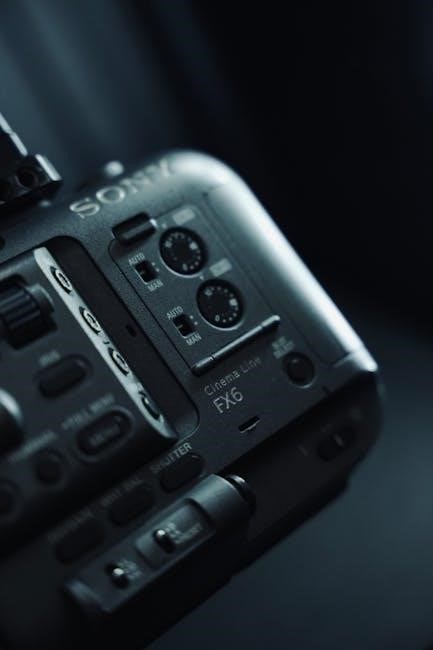
The Sony FX9 represents a pivotal advancement in full-frame filmmaking, offering a compact body and exceptional performance.

Access the official FX9 manual in PDF format for comprehensive guidance, alongside interactive guides and tutorials.

Quick Start Guides cater to both beginners and advanced users, streamlining workflow and maximizing creative potential.

Overview of the FX9 Camera

The Sony PXW-FX9 is a full-frame professional camcorder designed for cinematographers and content creators. It boasts a 6K full-frame sensor, delivering stunning image quality with exceptional low-light performance and shallow depth of field capabilities.

The camera’s compact and lightweight design enhances mobility, while its advanced features, detailed in the Sony FX9 manual, provide extensive control over image parameters.

Users can find the official manual as a PDF, offering in-depth explanations of all functionalities;

Key Features and Specifications

The Sony FX9 features a 6K full-frame CMOS sensor, enabling exceptional image quality and dynamic range. It records in XAVC-I and XAVC-L formats, offering versatile codecs for various workflows. Key specs include ISO 800-32000 (expandable), and 15+ stops of dynamic range.

The FX9 manual details its advanced features like S-Cinetone, HLG, and S-Log3 gamma settings. Connectivity options include HDMI and SDI outputs. Access the PDF manual for complete specifications.

Setting Up Your FX9

Initial setup involves powering on, configuring basic settings, and reviewing the FX9 manual for optimal performance.

Refer to the PDF setup guides for detailed instructions on lens attachment and media card installation.

Initial Camera Setup

Begin by securely installing a fully charged battery and compatible media card. Power on the Sony FX9 and follow the on-screen prompts to set the language, date, and time.

Consult the official FX9 manual (available as a PDF) for detailed guidance on initial configuration.

Pay close attention to the menu navigation and customization options, tailoring the camera to your specific shooting preferences. Ensure proper network connection setup as detailed in the provided guides.

Attaching and Configuring Lenses

Carefully attach your chosen lens to the Sony FX9, ensuring a secure connection. Utilize the lens lock function to prevent accidental detachment during operation – refer to the manual for details.

Navigate to the camera’s menu to configure lens settings, including aperture control and focus modes.

The FX9 manual (PDF format) provides specific instructions for various lens types and optimal configuration for different shooting scenarios. Remember to calibrate lenses for peak performance.

Media Card Installation and Formatting

Proper media card handling is crucial for reliable recording with the Sony FX9. Locate the media card slots and gently insert compatible cards, ensuring correct orientation.

Before first use, or after capturing footage, format the cards directly through the camera’s menu system.

The FX9 manual (available as a PDF) details supported card types and formatting procedures, preventing data corruption and ensuring optimal performance. Always eject cards safely.

Understanding the FX9 Interface

The FX9’s interface offers extensive customization options. Explore the manual (PDF format) to master menu navigation, button functions, and viewfinder settings.

Personalize your workflow!

Menu Navigation and Customization

The FX9’s menu system, detailed within the official manual (available as a PDF), is logically structured for efficient operation. Users can navigate through various settings using the dials and buttons, accessing options for recording, display, audio, and system configurations.

Customization is key; assign frequently used functions to buttons for quick access. Save personalized profiles to recall preferred settings for different shooting scenarios. The interactive PDF manual provides visual aids to streamline this process, ensuring a tailored user experience.

Button and Dial Functions

The FX9’s physical controls, thoroughly explained in the Sony FX9 manual (PDF format), offer intuitive operation. Dials adjust settings like iris, shutter speed, and white balance, while dedicated buttons control recording, playback, and menu access;

Customization is paramount; re-assign button functions to match your workflow. The manual details each control’s default behavior and customization options. Mastering these functions, aided by the interactive PDF, unlocks efficient and precise camera operation during shoots.

Viewfinder and LCD Screen Settings

The FX9’s viewfinder and LCD screen, detailed in the Sony FX9 manual, provide critical monitoring tools. Adjust brightness, contrast, and color temperature for accurate image assessment. Utilize peaking and zebra patterns for precise focus and exposure control;

Customize display information, including frame rates, audio levels, and timecode. The interactive PDF manual guides you through these settings, ensuring optimal visibility in various shooting conditions. Properly configured displays are essential for professional results.

Recording Basics

The FX9 manual details essential recording parameters. Select appropriate modes and frame rates for your project. Explore diverse audio options and master white balance/exposure settings;

Recording Modes and Frame Rates

The Sony FX9 manual comprehensively outlines available recording modes, including XAVC-I and XAVC-L, each offering varying levels of compression and quality. Understanding these options is crucial for balancing storage needs with desired visual fidelity.

Frame rate selection is equally important, with the FX9 supporting a wide range from 23.98fps to 120fps for slow-motion capabilities. The manual details how to adjust these settings for different creative effects and project requirements, ensuring optimal results for every shooting scenario.

Audio Recording Options

The Sony FX9 manual details extensive audio recording capabilities, including 4-channel audio input with professional XLR connectors. Users can select various audio recording formats and levels, ensuring pristine sound quality for their projects.

The manual explains how to utilize the FX9’s built-in audio controls, such as attenuators and filters, to manage and refine incoming audio signals. It also covers external audio recorder synchronization, vital for professional workflows demanding the highest audio fidelity.

White Balance and Exposure Settings

The Sony FX9 manual comprehensively covers achieving accurate color and optimal brightness. It details various white balance presets, alongside custom settings for precise color rendition in diverse lighting conditions.

Users learn to leverage the camera’s exposure tools, including auto and manual modes, to control aperture, shutter speed, and ISO. The manual explains how to utilize zebras and false color for accurate exposure assessment, ensuring visually stunning footage.

Advanced Recording Features

The Sony FX9 manual details utilizing S-Cinetone, picture profiles, slow motion, high frame rates, timecode, and genlock for professional results.

Explore advanced workflows and unlock the camera’s full creative potential through detailed explanations.

S-Cinetone and Picture Profiles

The Sony FX9 manual extensively covers S-Cinetone, a pre-programmed gamma curve delivering a cinematic look straight out of the camera, minimizing post-production grading.

It details how S-Cinetone prioritizes skin tone reproduction and mid-tone detail, ideal for interviews and narrative work.

Furthermore, the manual explains utilizing customizable picture profiles, including standard options and the ability to create and save personalized settings for diverse shooting scenarios.

Understanding these profiles is crucial for achieving specific looks and maintaining consistency across projects.

Slow Motion and High Frame Rate Recording

The Sony FX9 manual provides detailed instructions on leveraging the camera’s high frame rate capabilities for stunning slow-motion footage.

It explains how to select appropriate recording modes and frame rates, such as 120fps, to achieve desired slow-motion effects.

The manual clarifies the impact of shutter angle and resolution on slow-motion quality, offering guidance for optimal settings.

It also covers considerations for audio synchronization when shooting at higher frame rates, ensuring professional results.

Using Timecode and Genlock

The Sony FX9 manual thoroughly explains the benefits of utilizing timecode and genlock for professional multi-camera setups and post-production workflows.

It details how to configure timecode settings, including options for free-run, drop-frame, and external timecode synchronization.

The manual clarifies the genlock functionality, enabling precise synchronization with external video sources for broadcast and cinematic applications.

It provides step-by-step instructions for connecting and configuring genlock devices, ensuring stable and reliable synchronization.

Connectivity and Outputs

The Sony FX9 manual details HDMI and SDI output configurations for diverse workflows.

It explains wireless network connection setup, crucial for remote control and file transfer capabilities.

Explore guides for optimal signal transmission and compatibility.

HDMI Output Configuration

The Sony FX9 manual provides detailed instructions for configuring the camera’s HDMI output, essential for connecting to external monitors and recorders. Users can select from various output formats, including 4K UHD, Full HD, and different color spaces, to match their display or recording device.

The manual clarifies settings for HDMI information display, allowing control over on-screen data like frame rate, timecode, and audio levels. It also covers HDMI output with or without alpha channel, crucial for compositing workflows. Understanding these settings ensures optimal image quality and compatibility with professional equipment.

SDI Output Settings

The Sony FX9 manual comprehensively details SDI output configuration, vital for professional video workflows. Users can select from a range of SDI formats, including 3G-SDI and 12G-SDI, to accommodate different transmission distances and resolutions.

The manual explains how to adjust SDI levels, color space, and gamma settings for optimal compatibility with external recorders and switchers. It also covers configuring SDI output for embedded audio and timecode. Proper SDI setup, as outlined in the manual, guarantees a clean and reliable signal transmission.

Wireless Network Connection Setup

The Sony FX9 manual provides detailed instructions for establishing a wireless network connection, enabling remote control and file transfer. A PDF setup guide (5.7MB) simplifies the process, covering both infrastructure and ad-hoc network modes.

The manual guides users through selecting the correct network, entering the password, and configuring IP address settings. Successful connection allows for camera control via a smartphone app and facilitates seamless file transfer to a computer. Refer to the manual for troubleshooting common connection issues.

Firmware Updates

The Sony FX9 manual details checking for and installing firmware updates, crucial for optimal performance.

Versions like PXW-FX9 V4.02 and XDCA-FX9 V2.20 enhance functionality and stability.

Checking for Firmware Updates

The Sony FX9 manual emphasizes regularly checking for firmware updates to ensure peak camera performance and access to the latest features. This process typically involves navigating to the camera’s menu system, specifically the ‘System’ or ‘Setup’ section. Within these menus, a ‘Firmware Update’ option allows the FX9 to connect to Sony’s servers and verify if a newer version is available.

The camera will display the current installed version and, if an update exists, prompt you to download and install it. It’s vital to follow the on-screen instructions carefully during this process to avoid any potential issues. Always ensure a stable power source during the update.

Installing Firmware Updates

According to the Sony FX9 manual, installing firmware requires careful attention. After downloading the update, the camera will guide you through the installation process. Crucially, maintain a stable power supply – interruption can brick the camera. The FX9 will likely restart several times during installation; do not power it off.

Follow all on-screen prompts precisely. The process may take several minutes. Once complete, verify the new firmware version in the camera’s system menu to confirm successful installation. A successful update enhances stability and unlocks new functionalities.

Firmware Version PXW-FX9 V4.02

PXW-FX9 V4.02, detailed in the Sony FX9 manual, delivers significant improvements to overall camera performance and stability. This update addresses several user-reported issues, enhancing reliability during extended recording sessions. It also optimizes compatibility with various accessories, including the XDCA-FX9.

Users are strongly encouraged to update to this version for a smoother workflow. The release notes, available on the Sony support website, outline all changes and fixes included in V4.02. Ensure a stable power source during the update process.

Troubleshooting Common Issues

The Sony FX9 manual provides solutions for common problems like power failures, media errors, and audio glitches.

Refer to the guide for detailed steps to resolve these issues quickly and efficiently.

Camera Not Powering On

If your Sony FX9 fails to power on, the official manual recommends checking the battery first. Ensure a fully charged, compatible battery is correctly installed.

Verify the power adapter is functioning correctly and securely connected to both the camera and a working power outlet.

Inspect the DC IN jack for any damage or obstructions. If the issue persists, consult the troubleshooting section of the FX9 manual for further diagnostic steps, including potential firmware-related concerns.

Recording Media Errors

Encountering recording media errors on your Sony FX9? The official manual advises verifying media card compatibility and formatting. Ensure you’re using a supported card type, properly formatted within the camera itself.

Check for physical damage to the card or the camera’s media slot. Attempt recording with a different, known-good card.

If errors continue, consult the FX9 manual’s troubleshooting guide for potential firmware updates or more advanced solutions.

Audio Problems

Experiencing audio issues with your Sony FX9? The official manual stresses checking all cable connections and microphone settings. Verify proper input levels and ensure phantom power is engaged if required for condenser microphones.

Confirm the selected audio input channel corresponds to your microphone’s connection. Review the FX9’s audio menu for any muted channels or incorrect gain staging.

Consult the manual’s troubleshooting section for further guidance on resolving audio-related concerns.

Battery Management

The Sony FX9 manual details compatible battery types and proper charging procedures. Optimize recording time using power-saving features and monitor the low battery indicator.

Battery Types and Charging

The Sony FX9 utilizes the NP-FZ100 battery series, offering reliable power for extended shooting sessions. The manual recommends using official Sony batteries for optimal performance and safety; Charging can be done via the camera’s USB-C port or with a dedicated BC-FZ100 charger.

Always ensure the battery is fully charged before critical shoots. The FX9 manual cautions against using third-party chargers, as they may damage the battery or camera. Proper battery care extends lifespan and ensures consistent operation during demanding productions.

Battery Life and Power Saving Tips

The Sony FX9’s battery life varies based on recording settings and usage. The manual estimates approximately 220 minutes of continuous recording with a fully charged NP-FZ100 battery. To maximize runtime, utilize power-saving features like auto power-off and LCD brightness adjustment.

Disable unnecessary functions, such as Wi-Fi, when not in use. The FX9 manual suggests employing external power sources for prolonged shoots. Regularly check the low battery indicator and consider carrying spare batteries for uninterrupted filming during critical moments.

Low Battery Indicator

The Sony FX9 features a clear low battery indicator, visually alerting users to diminishing power reserves. According to the manual, the indicator flashes when remaining capacity is low, prompting immediate action. This warning ensures uninterrupted recording during critical shoots.

The manual recommends promptly replacing or recharging the battery upon seeing the flashing indicator. Ignoring this warning may lead to unexpected camera shutdown. Utilizing external power sources is advised for extended operation, preventing workflow disruptions.

Lens Lock Function

The FX9 manual details the lens lock mechanism, preventing accidental detachment during transport or operation.

Engage/disengage for secure mounting, as described in the official documentation.

Understanding the Lens Lock Mechanism

The Sony FX9 manual thoroughly explains the lens lock’s function, a crucial feature for maintaining secure lens attachment. This mechanism physically locks compatible lenses into place, preventing unintentional disconnections during movement or operation. It’s particularly valuable during handheld shooting or when navigating challenging terrains.

The lock is designed to work seamlessly with Sony’s E-mount lenses, ensuring a robust connection. Refer to the official PDF manual for detailed illustrations and step-by-step instructions on proper engagement and disengagement procedures. Incorrect usage could potentially damage the lens mount, so careful adherence to the guidelines is essential.

Engaging and Disengaging the Lens Lock

According to the Sony FX9 manual, engaging the lens lock involves a simple yet deliberate action. Locate the lens lock switch on the camera body and slide it into the locked position after securely mounting the lens. This prevents accidental detachment, especially with heavier lenses.

To disengage, slide the switch back to the unlocked position before attempting to remove the lens. Never force the lens off while the lock is engaged, as this could cause damage. The PDF manual provides visual aids demonstrating the correct procedure for safe and efficient operation.

Quick Reference Guide

The FX9 Quick Reference Guide, created by Alister Chapman, offers essential settings for fast setup, commonly used functions, and S-Cinetone tips.

This interactive PDF is readily accessible on mobile devices for on-location convenience.

Essential Settings for Fast Setup

For rapid deployment, prioritize setting the media to your preferred format – often XAVC-I for high-quality recording. Configure the picture profile; S-Cinetone delivers a beautiful, filmic look straight out of the camera, ideal for many projects.

Establish your desired frame rate and shutter angle, considering the creative intent. Ensure proper white balance is set for accurate color representation. Finally, verify audio levels and input sources for clean, professional sound.

These initial steps will ensure a smooth and efficient workflow.

Commonly Used Functions

Frequently accessed features include assigning custom buttons for quick access to essential controls like ISO, aperture, and white balance. Utilize the focus assist tools – magnification and focus peaking – for precise critical focus. Mastering the zebra stripes helps manage exposure effectively, preventing over or underexposure.

The waveform monitor provides detailed exposure information. Regularly check and adjust audio levels using the built-in meters. Explore the various picture profile options to tailor the image to your specific needs.

S-Cinetone Tips

S-Cinetone delivers a cinematic look straight out of the camera, ideal for projects needing minimal color grading. Adjust the Gamma and Color Matrix settings within S-Cinetone for subtle image refinement. Utilize the saturation controls to fine-tune color intensity, avoiding overly vibrant or muted results.

Experiment with the knee settings to manage highlights gracefully. Combine S-Cinetone with LUTs for creative looks, but monitor for potential color shifts. Refer to the FX9 manual for detailed S-Cinetone customization options.

FX9 Manual (PDF) Access

Download the official Sony FX9 manual in PDF format for detailed instructions.

An interactive PDF ensures easy access on smartphones during on-location shoots.

Advanced users will benefit from the Quick Start Guide.

Downloading the Official Manual

Accessing the Sony PXW-FX9 manual is straightforward, providing a wealth of information for optimal camera operation. Sony provides a comprehensive PDF version of the manual directly through their support website, ensuring users have readily available documentation.

This official manual covers every aspect of the FX9, from initial setup and basic operation to advanced features and troubleshooting. It’s a vital resource for both novice and experienced filmmakers seeking to fully utilize the camera’s capabilities. The downloadable PDF format allows for offline access and convenient searching.

Interactive PDF Format

The Sony FX9 manual isn’t just a static document; it’s offered in an interactive PDF format designed for modern filmmakers. This enhanced format ensures easy navigation and quick access to specific information while on location.

Users can effortlessly jump between sections, utilize internal links, and search for keywords, streamlining the process of finding answers. This interactive PDF is optimized for smartphone viewing, making it a practical tool for on-set reference and problem-solving, enhancing workflow efficiency.

Advanced Users Quick Start Guide

The Sony FX9 caters to experienced cinematographers with a dedicated Advanced Users Quick Start Guide. This resource bypasses basic setup, focusing on recommended workflows for seasoned professionals.

It dives directly into advanced settings, optimal configurations for specific shooting scenarios, and maximizing the camera’s full-frame capabilities. This guide streamlines complex tasks, enabling experienced users to quickly leverage the FX9’s power and achieve professional-grade results efficiently.

XDCA-FX9 Accessory

The XDCA-FX9 expands the FX9’s capabilities, offering advanced connectivity.

Refer to the PDF Setup Guide for wireless network connection details and Firmware Version V2.20 updates.

Understanding the XDCA-FX9

The XDCA-FX9 is a crucial accessory that significantly enhances the Sony FX9’s functionality, primarily by enabling 12G-SDI output and providing advanced connectivity options for professional workflows. This accessory allows for longer cable runs and compatibility with a wider range of broadcast and cinema equipment.

It’s essential to ensure the XDCA-FX9 is running the latest firmware, currently Version V2.20, to guarantee optimal performance and compatibility with the FX9. Regularly checking for updates is recommended. The accessory integrates seamlessly with the FX9, expanding its versatility for demanding production environments.

Firmware Version XDCA-FX9 V2.20

Version V2.20 of the XDCA-FX9 firmware delivers crucial improvements to system stability and enhances compatibility with the PXW-FX9 camera. This update addresses potential issues and optimizes performance for professional video production workflows.

It’s highly recommended that all users upgrade to this latest version to benefit from these enhancements. Before installation, carefully review the release notes for detailed information regarding changes and any necessary precautions. Maintaining up-to-date firmware ensures a seamless and reliable operational experience.

Setup Guide for Wireless Network Connection

Establishing a wireless network connection with your Sony FX9, via the XDCA-FX9 accessory, unlocks remote control and file transfer capabilities. A comprehensive PDF Setup Guide (5.7 MB) is readily available for download, detailing each step of the process.

This guide provides clear instructions on configuring network settings, connecting to access points, and troubleshooting common connectivity issues. Successful setup enables efficient workflow and streamlined content management during on-location shoots.

gci tv guide anchorage alaska

GCI TV Guide Anchorage Alaska: A Comprehensive Overview (Updated 03/05/2026)

GCI delivers extensive TV listings for Anchorage, Alaska, including cable, satellite, and over-the-air options. Viewers can access schedules via tvlistings.zap2it.com, specifying their zip code for accurate local programming.

Understanding GCI Cable in Anchorage

GCI is a leading provider of cable television services in Anchorage, Alaska, offering a diverse range of channel packages and features designed to cater to varied viewing preferences. As of today, March 5th, 2026, GCI continues to evolve its offerings, recently integrating its services with Microsoft 365, enhancing productivity and security for its customers. This transition includes a unified app experience, combining Office.com, the Office mobile app, and the Office app for Windows into the new Microsoft 365 Copilot app.

For Anchorage residents, GCI provides both digital cable and streaming options, allowing viewers to access their favorite programs through traditional cable boxes or on-demand via internet-connected devices. GCI’s digital cable service, including the ‘GCI Cable ⏤ Digital (Anchorage) (TEST LAB)’ offering, is a cornerstone of its service, alongside broader availability in areas like Mat-Su. Understanding the specific channel lineup and available packages is crucial for maximizing the viewing experience. GCI also facilitates access to local broadcast channels, ensuring viewers stay connected to community news and events.

Furthermore, GCI actively files applications to maintain and update its service offerings, demonstrating a commitment to providing reliable and current television services to the Anchorage community.

GCI Channel Lineup: Core Offerings

GCI’s core channel lineup in Anchorage encompasses a broad spectrum of entertainment, news, sports, and lifestyle programming. Key offerings include access to local Anchorage broadcast channels, ensuring residents receive vital community information. Dedicated channels like GCI Channel 6 provide specific programming, notably the Alaska Weather TV Show, airing at 6:30 p.m., sourced directly from Weather.gov.

Beyond local broadcasts, GCI delivers a robust selection of national networks and specialty channels. Amazing Facts is available on Channel 18, connecting Alaskans with insightful content. For evening entertainment, options include Women of Wrestling (11:00 p.m. — 12:00 a.m.) and NCIS (11:00 p.m. — 12:00 a.m.), offering diverse programming choices.

GCI’s channel packages are designed to cater to various interests, with premium options available for movie enthusiasts and dedicated sports programming. The lineup is continually updated, and GCI actively manages channel availability, as evidenced by recent applications to discontinue certain services, ensuring a dynamic and relevant viewing experience for its Anchorage subscribers;

Accessing the GCI TV Schedule Online

GCI provides multiple convenient avenues for Anchorage residents to access their TV schedule online. The primary resource is tvlistings.zap2it.com, a comprehensive TV listing website. Users can personalize their experience by entering their specific zip code – either Tanana or Whittier – to ensure accurate local program listings and time zone adjustments.

This online platform allows viewers to browse channels, search for specific shows, and plan their viewing in advance. Beyond Zap2it, GCI’s website may offer a simplified schedule viewer, though directing users to Zap2it appears to be the current recommended method.

For those preferring over-the-air TV, separate listings are available, catering to broadcast signals received directly. Furthermore, streaming services like Sling TV, operating within the Alaskan Time Zone, offer alternative viewing options alongside GCI’s cable offerings. Staying informed about GCI’s service updates is crucial, as channel availability and online access methods can evolve.

GCI Digital Cable: Channel Packages

GCI’s digital cable service in Anchorage offers a tiered system of channel packages designed to cater to diverse viewing preferences and budgets. While specific package details are subject to change, GCI generally structures its offerings around core packages with options for add-ons.

The “TEST LAB” designation indicates a specific digital cable offering within Anchorage, potentially representing a trial or experimental package. Alongside standard cable, GCI also provides service to the Mat-Su Valley, indicating regional variations in channel availability.

Customers can typically build a customized package, starting with a base selection of popular channels and then adding premium movie channels, sports packages, or specialized networks. GCI frequently updates its channel lineup, so checking the latest offerings on their website or contacting customer service is recommended. These packages aim to provide a comprehensive entertainment experience, blending local broadcasts with national and international content.

Local Anchorage Broadcast Channels Available on GCI

GCI cable in Anchorage provides access to a range of local broadcast channels, ensuring residents stay connected to community news, weather, and programming. These channels are typically carried as part of the basic cable package, offering essential viewing options. Broadcast coverage extends beyond Anchorage itself, reaching areas like JBER, Wasilla, and Indian, demonstrating GCI’s broad service area.

Viewers can access over-the-air TV listings to compare programming with what’s available through GCI. This allows for informed viewing choices and a better understanding of local broadcast schedules. GCI’s digital cable service ensures a clear signal for these local channels, enhancing the viewing experience.

The availability of specific broadcast channels may vary depending on the package selected and location within the service area. Regularly checking GCI’s channel lineup is recommended to confirm access to preferred local stations.

How to Find Specific Program Listings

Locating specific program listings for GCI TV in Anchorage is straightforward, offering multiple convenient options for viewers. A primary resource is tvlistings.zap2it.com, where users can input their Anchorage zip code (Tanana or Whittier) to personalize the schedule. This ensures listings accurately reflect local channel availability and time zones.

Alternatively, GCI’s official website may offer a digital TV guide, allowing subscribers to browse channels and programs directly. Checking the on-screen program guide on your GCI cable box is another quick method for immediate viewing information.

For those preferring a more traditional approach, printed TV guides featuring GCI channel lineups are sometimes available at local retailers. Remember that program schedules are subject to change, so verifying listings close to the airtime is always advisable.

Popular Channels and Their GCI Channel Numbers

While specific channel numbers can fluctuate, here’s a glimpse of popular channels typically available on GCI TV in Anchorage. Channel 6 is dedicated to Alaska Weather, broadcasting at 6:30 p.m., providing crucial local forecasts. Amazing Facts consistently appears on Channel 18, offering insightful programming.

For entertainment, viewers often seek out action and adventure on channels like NCIS, frequently airing late-night from 11:00 p.m. to 12:00 a.m. Pro Wrestling enthusiasts can also find matches during the same timeframe. Women of Wrestling is another popular late-night option, also broadcasting from 11:00 p.m. to 12:00 a.m.

It’s important to note that GCI’s channel lineup is subject to change. To confirm the most up-to-date channel numbers, consulting the GCI on-screen guide or visiting tvlistings.zap2it.com with your Anchorage zip code is recommended.

GCI On-Demand and Streaming Services

GCI enhances the viewing experience in Anchorage with robust On-Demand and streaming options, complementing traditional cable TV. Formerly known as Office, Microsoft 365 now serves as the premier productivity suite, integrating innovative apps and cloud services. The Microsoft 365 Copilot app, featuring a refreshed icon and expanded features, consolidates Office.com, the Office mobile app, and the Office app for Windows.

Beyond traditional cable, GCI customers can explore streaming alternatives like Sling TV, offering a flexible and personalized entertainment experience. These services provide access to a wide range of content, including live TV, movies, and shows, often available on multiple devices.

GCI continually updates its service offerings, so checking their official website for the latest information on On-Demand titles and streaming partnerships is advisable. This ensures viewers have access to the most current entertainment options available in the Alaskan Time Zone.

Alaska Weather TV Schedule on GCI Channel 6

GCI Channel 6 in Anchorage, Alaska, is a dedicated source for local weather updates, crucial for navigating the state’s dynamic climate. The Alaska Weather TV show airs regularly, providing residents with essential information to plan their daily activities and prepare for changing conditions. Specifically, the show is scheduled to broadcast at 6:30 p.m., offering a convenient time for viewers to stay informed after the workday.

This broadcast leverages data from Weather.gov, ensuring accuracy and reliability. Viewers can expect detailed forecasts, including temperature readings, precipitation predictions, and potential weather hazards. Staying updated with GCI Channel 6’s weather reports is particularly important given Alaska’s susceptibility to severe weather events.

For the most current schedule and any potential changes, it’s recommended to consult GCI’s official TV guide or Weather.gov directly. This ensures access to the latest information and helps Alaskans remain prepared.

Amazing Facts Channel Availability on GCI (Channel 18)

For GCI subscribers in Anchorage, Alaska, the Amazing Facts channel is readily available on Channel 18. This channel provides insightful and thought-provoking programming centered around faith, health, and prophecy, appealing to a diverse audience seeking spiritual enrichment and educational content. Amazing Facts aims to connect Alaskans with uplifting and informative broadcasts.

GCI proudly lists Amazing Facts as part of its channel lineup, demonstrating a commitment to offering a variety of programming options to its customers. The channel’s presence on GCI ensures accessibility for those interested in exploring its unique perspective and engaging with its content. It’s a valuable resource for individuals and families looking for positive and inspiring television.

To confirm channel availability and programming schedules, viewers can consult the official GCI TV guide or visit the Amazing Facts website. This ensures they stay informed about upcoming shows and maximize their viewing experience.

Sports Programming on GCI TV

GCI TV in Anchorage, Alaska, delivers a robust selection of sports programming, catering to avid fans of various leagues and disciplines. Subscribers can access live games, sports news, and analysis through a variety of channels, ensuring they don’t miss any of the action. Coverage includes professional sports like basketball, football, baseball, and hockey, alongside collegiate competitions and outdoor adventure programming.

GCI’s channel packages often include networks dedicated to sports, such as ESPN, Fox Sports, and regional sports networks, providing comprehensive coverage of local and national events. Viewers can follow their favorite teams and athletes throughout the season, experiencing the thrill of victory and the agony of defeat in high definition.

To find specific game schedules and channel listings, GCI subscribers should consult the online TV guide or utilize the GCI mobile app. This allows for convenient planning and ensures they are tuned in to the right channel at the right time.

News Channels Available Through GCI

GCI TV in Anchorage, Alaska, provides comprehensive news coverage through a diverse range of channels, keeping residents informed about local, national, and global events. Subscribers have access to both national news networks and local Alaskan broadcasts, ensuring a well-rounded perspective on current affairs.

Key national news channels typically available on GCI include CNN, Fox News, and MSNBC, offering 24/7 coverage of breaking news, political analysis, and in-depth reporting. For local Alaskan news, GCI carries channels featuring coverage of Anchorage and the surrounding areas, focusing on community events, weather updates, and local government proceedings.

Staying informed is easy with GCI’s channel lineup. Viewers can utilize the online TV guide or the GCI mobile app to quickly locate news channels and stay up-to-date on the latest headlines. Reliable and timely news access is a core benefit of GCI TV service.

Movie Channels and Premium Options

GCI TV in Anchorage, Alaska, offers a robust selection of movie channels and premium options for entertainment enthusiasts. Subscribers can choose from a variety of packages to suit their viewing preferences, ranging from classic films to the latest blockbusters.

Popular movie channels frequently included in GCI’s lineup are HBO, Cinemax, and Showtime, providing access to critically acclaimed series, original movies, and a constantly updated library of cinematic content. For family-friendly options, channels like Disney Channel and Nickelodeon Movies are also available.

GCI also provides on-demand movie services, allowing viewers to rent or purchase their favorite films directly through their TV. Premium options often include access to exclusive content and ad-free viewing experiences. Explore GCI’s channel packages to discover the perfect combination of movie entertainment for your household.

Children’s Programming on GCI

GCI TV in Anchorage, Alaska, understands the importance of quality children’s programming and provides a diverse range of channels dedicated to young viewers. These options cater to various age groups, ensuring engaging and educational content for all children;

Families can find popular channels like Disney Channel, Nickelodeon, and Cartoon Network within GCI’s lineup. These networks offer a mix of animated series, live-action shows, and movies designed to entertain and inspire. PBS Kids is also frequently available, providing educational programming focused on literacy, science, and social-emotional development.

Beyond traditional channels, GCI’s on-demand services often feature a dedicated section for children’s content, allowing parents to select age-appropriate shows and movies. GCI strives to provide a safe and enriching viewing experience for children in Anchorage, fostering creativity and learning through television.

Late Night Entertainment Options

GCI TV in Anchorage, Alaska, offers a robust selection of late-night entertainment to cater to diverse tastes. After the sun sets, viewers can enjoy a variety of programming, from talk shows and comedy to action-packed dramas and thrilling sports replays.

Popular late-night talk shows, such as those found on network channels, are readily available. For those seeking comedic relief, channels featuring stand-up specials and sitcom reruns provide endless laughs. Action and adventure enthusiasts can tune into movie channels showcasing blockbuster films and gripping series.

As of 03/05/2026, listings show “Women of Wrestling” airing from 11:00 PM to 12:00 AM, alongside “NCIS” for those preferring procedural dramas. GCI ensures there’s something to keep Anchorage viewers entertained well into the night, offering a comprehensive late-night viewing experience.

GCI TV Guide Troubleshooting: Common Issues

GCI TV guide users in Anchorage, Alaska, occasionally encounter issues. Common problems include inaccurate listings, a blank guide, or the guide failing to load altogether. These can often be resolved with simple troubleshooting steps.

First, ensure your GCI cable box is properly connected and receiving a signal. A reboot of the box is frequently effective in resolving temporary glitches. Check the cable connections to confirm they are secure. If using an online TV listing service like tvlistings.zap2it.com, verify your zip code and provider (GCI — Anchorage) are correctly selected.

If problems persist, consult GCI’s support website or contact their customer service. GCI has recently filed applications to discontinue certain services, so checking for updates regarding channel availability is also recommended. Regularly updating your cable box software can also prevent guide-related issues, ensuring a smooth viewing experience.

Comparing GCI TV to Other Providers in Anchorage

In Anchorage, Alaska, residents have alternatives to GCI for their television needs, including satellite services and streaming platforms like Sling TV. GCI traditionally offers a robust cable infrastructure, providing a wide range of channels and on-demand content, particularly through its digital cable packages.

Sling TV presents a more affordable, customizable option, allowing viewers to select specific channel packages tailored to their preferences. However, it relies on a stable internet connection, which may be a concern for some Anchorage residents. Satellite providers offer broad coverage, including remote areas, but can be susceptible to weather-related signal disruptions.

GCI’s advantage lies in its local presence and bundled services, often combining TV, internet, and phone. When comparing, consider channel lineups, pricing, contract terms, and the availability of local Anchorage broadcast channels. Utilizing resources like tvlistings.zap2it;com can aid in comparing program availability across providers.

GCI Cable — Digital (Anchorage) (TEST LAB) Details

The GCI Cable — Digital (Anchorage) (TEST LAB) designation indicates a specific testing environment within GCI’s Anchorage cable network. This “TEST LAB” likely involves evaluating new technologies, channel configurations, or service features before broader rollout to subscribers. It’s a controlled area for assessing performance and identifying potential issues.

Subscribers within this test area may experience temporary service interruptions or variations in channel lineups as GCI engineers conduct their evaluations. Participation in the TEST LAB is generally not a subscriber choice, and it’s intended to improve overall service quality for all Anchorage customers.

Information regarding specific channel availability within the TEST LAB can be limited, as configurations are subject to change. GCI may utilize this environment to trial new digital cable offerings, potentially impacting access to certain TV listings. Residents can find general GCI channel information through resources like tvlistings.zap2it.com.

GCI Mat-Su Channel Availability

GCI provides distinct channel lineups for the Matanuska-Susitna (Mat-Su) Valley region, differing from those available in Anchorage. This is due to varying broadcast signal reach and local programming preferences within the Mat-Su area; Subscribers in Palmer, Wasilla, and surrounding communities will find a tailored selection of channels.

While core channels often overlap with Anchorage offerings, specific local broadcast channels and regional sports networks may vary. Accessing accurate GCI channel listings for Mat-Su requires utilizing the GCI website or TV listing services like tvlistings.zap2it.com, ensuring the correct service area is selected.

GCI Cable Mat-Su operates as a separate service configuration from the Anchorage “TEST LAB” environment. Subscribers should consult official GCI documentation or customer support for the most up-to-date channel information relevant to their specific Mat-Su location. Differences in channel packages are common.

Recent GCI Service Updates and Changes

As of March 5th, 2026, GCI has been actively transitioning its services, notably integrating Office functionality into the Microsoft 365 Copilot app. This update combines Office.com, the Office mobile app, and the Office app for Windows, offering enhanced productivity features and a refreshed user interface.

Regarding TV service, GCI recently filed an application to discontinue a currently unspecified service, prompting potential adjustments to channel packages or programming availability. Subscribers are encouraged to monitor official GCI communications for details regarding these changes and their potential impact.

Furthermore, GCI continues to refine its digital cable offerings in the Anchorage “TEST LAB” area, indicating ongoing experimentation with channel lineups and service features. These tests aim to improve the overall TV viewing experience. Staying informed through GCI’s website and customer support is crucial for understanding these evolving services.

Alternative Ways to Watch TV in Anchorage (Sling TV, Over-the-Air)

Anchorage residents have viable alternatives to traditional GCI cable, including streaming services like Sling TV and over-the-air (OTA) broadcasts. Sling TV offers customizable channel packages delivered via the internet, providing a cost-effective option for cord-cutters, particularly within the Alaskan Time Zone.

OTA broadcasts allow access to local channels without a subscription. Viewers can utilize an antenna to receive signals from broadcast towers serving Anchorage, JBER, Wasilla, and Indian. This method provides free access to networks like ABC, CBS, NBC, and PBS, depending on signal strength and location.

Comparing these options, Sling TV requires a stable internet connection and a monthly fee, while OTA relies on antenna setup and reception quality. Both present compelling alternatives to GCI, offering flexibility and potential cost savings for Anchorage viewers.